Migrate your Recipe Keeper recipes to Cookfolio, sections included
You have kept your collection in Recipe Keeper for years, and retyping it recipe by recipe is not a project you want to start. You do not have to. Cookfolio imports the whole library in one pass: titles, photos, ingredients, steps, categories, prep and cook times, servings and calories. If you are starting from a mix of paper notebooks, screenshots and files instead, here is how to digitize your family recipes.
Before you start: exporting from Recipe Keeper
Recipe Keeper puts its export in the same place on every version, iOS, Android, Windows and Mac:
- Open Recipe Keeper and go to Settings
- Tap Import/Export
- Under Export recipes to, choose the Recipe Keeper .zip file
- Save the archive to your device or to your cloud storage
Recipe Keeper hands you a .zip file. Get that file onto the device where you use Cookfolio: AirDrop, Google Drive, or simply an email to yourself. Any way of moving a file will do.
If Recipe Keeper also offers a PDF export, that is not the one to pick. Choose the .zip file: it is the one that brings your recipes along with their photos.
How to import your Recipe Keeper recipes into Cookfolio
-
Open Cookfolio, go to
Settings, then tap Import my recipes from another app.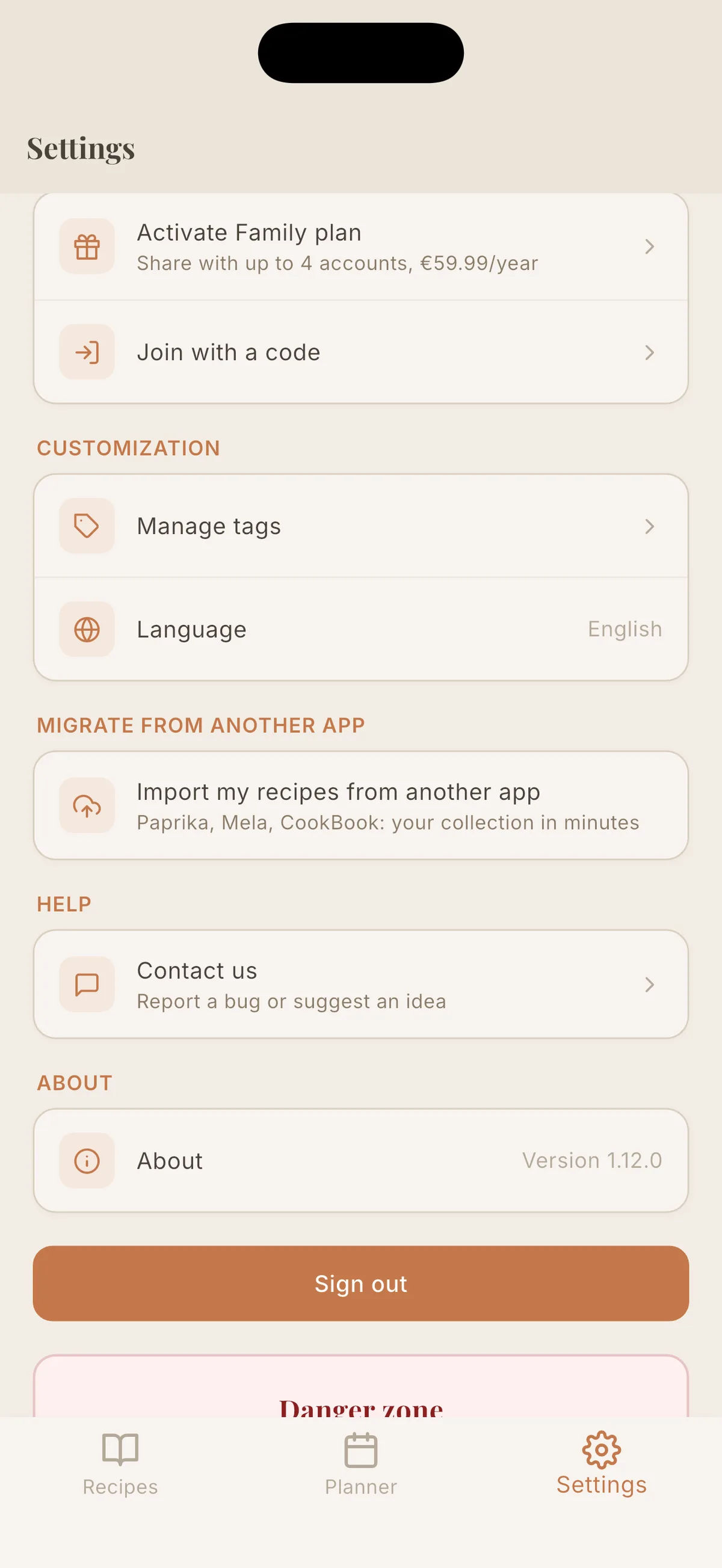
-
Choose Recipe Keeper from the list of source apps. The screen repeats the export path, in case you have not run the backup yet.
-
Select your
.zipfile. Cookfolio confirms how many recipes it found and starts the import in the background.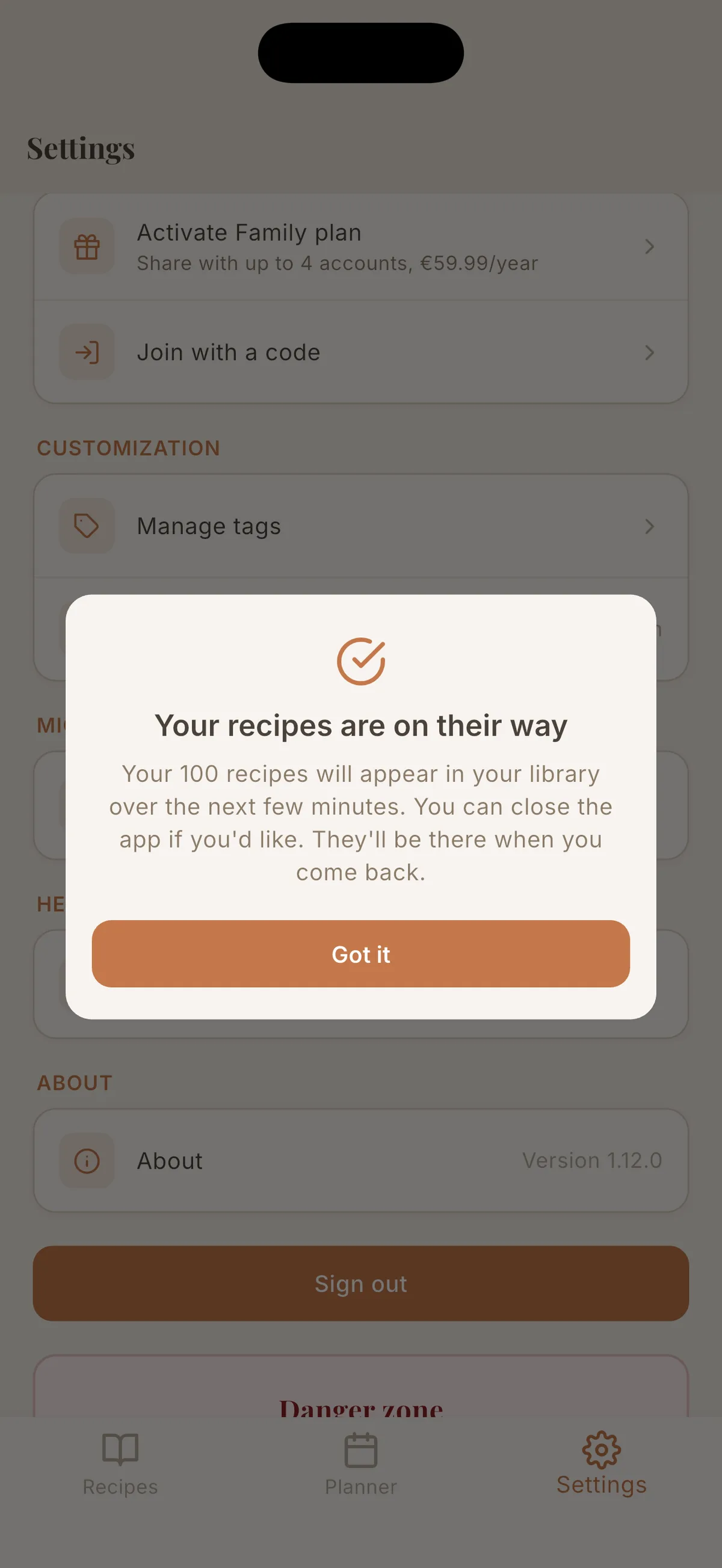
-
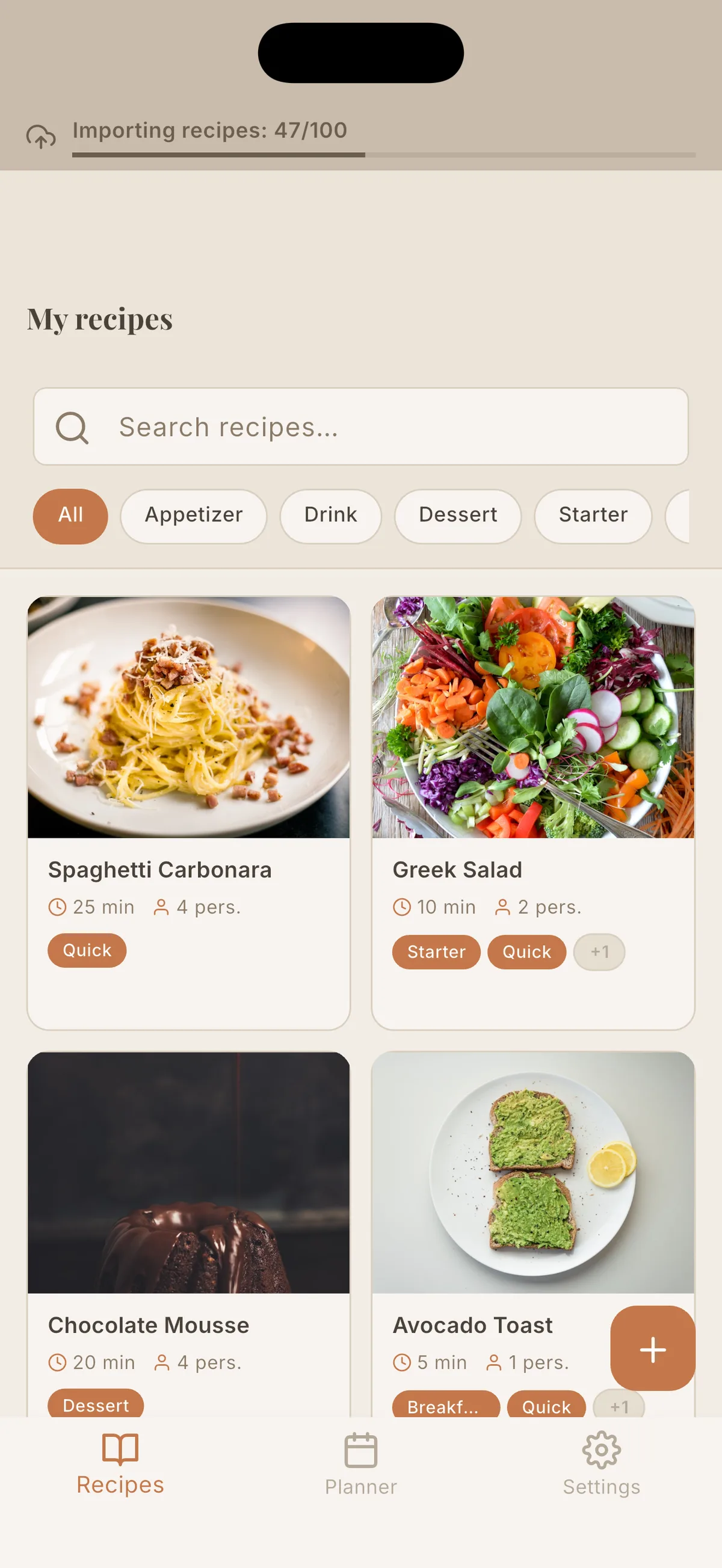
Carry on using the app meanwhile. A banner at the top tracks progress, and recipes show up in your library as they land.
-
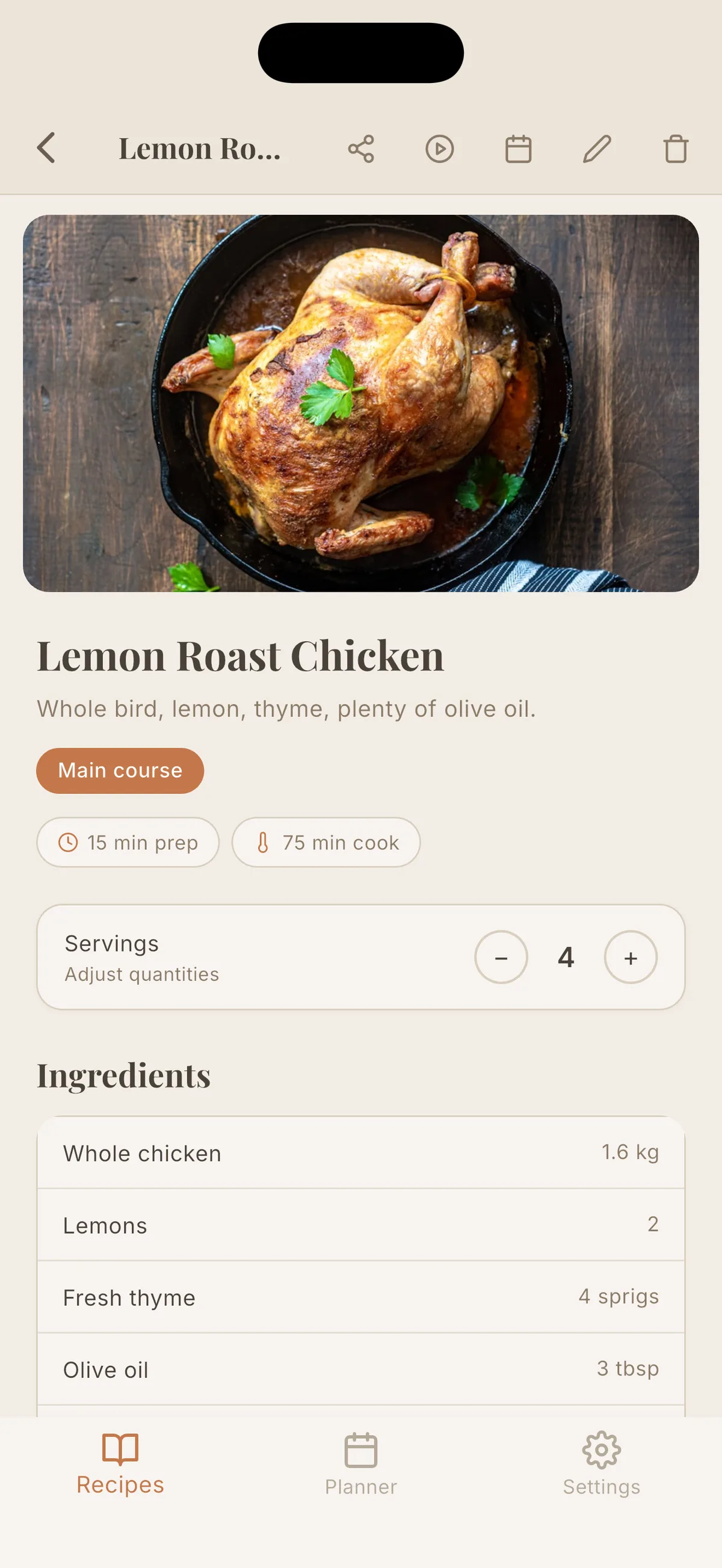
Open any imported recipe: structured ingredients, adjustable servings, photo kept, and ingredient sections preserved.
What comes across
The photos. Every illustrated recipe arrives with its image. If an image is missing or turns out to be unreadable, the recipe still imports, simply without its photo. A failed image never costs you a recipe.
The ingredients, with their quantities. Each ingredient arrives with its quantity, its unit and its name. This is what lets you change the number of people on an imported recipe and watch every quantity recalculate. Fractions, degree symbols and accented characters all survive the trip. A quantity written in cups keeps its unit in the saved recipe and shows in the units chosen in your settings: 1 1/2 cups reads 1 ½ cups with the US setting, 360 ml with the Metric one, never grams. US or metric units for your recipes explains how to choose your units.
The ingredient sections. When you have organised a recipe into groups, along the lines of For the crust, For the lemon curd, To serve, those headings come across and land above the right ingredient. They never appear as ingredients in their own right, so you will never find “For the crust” loitering in your shopping list. A tart written in three parts still reads in three parts.
The steps, with no doubled number. Recipe Keeper often writes the number into the step text, along the lines of 1. Melt the butter. Cookfolio already numbers its steps, and the figure does not show twice. The rest of the text is untouched.
The categories, turned into tags. Recipe Keeper separates the course, such as Dessert, from the free categories you created yourself, such as Cake. Both come across. When a name matches a tag you already have, the recipe joins that existing tag. Otherwise Cookfolio creates the tag for you. A recipe filed twice under the same word does not produce two tags.
Times, servings and calories. Prep time and cook time come across. A time left blank stays blank rather than arriving as zero minutes. The number of servings and the calories per serving come across too.
The source link. If the recipe came from a website, the link follows and stays tappable from the recipe page. For a recipe you typed in by hand, no link is added.
Your notes. The recipe’s personal notes block is carried into the notes on the Cookfolio recipe.
What does not come across
The description. Recipe Keeper has no such field at all. Imported recipes therefore arrive with no introduction text, and you can write one at any time.
The other nutrition values. The export carries ten figures: calories, plus protein, carbohydrates, sugars, fat, saturated fat, fibre, sodium, cholesterol and serving size. Cookfolio keeps calories per serving only, because that is the single nutrition field on a Cookfolio recipe. The other nine are left out rather than tucked away somewhere nobody would find them.
The rating and the favourite flag. Cookfolio has no equivalent today. They are set aside.
How many recipes at once?
Up to 2,000 recipes per archive, within a 150 MB ceiling. On a Recipe Keeper export it is the photos that weigh, not the text. If your collection is bigger than either bound, export it in several passes. Overlapping exports never produce duplicates.
What happens if the import is interrupted?
You can close the app while it runs. The import carries on without you, and your recipes are waiting when you come back. There is no “Retry” button to hunt for, and no half-imported recipe.
What next?
Once the library has moved, you can keep growing it without ever opening Recipe Keeper again: paste a recipe website link, import from a YouTube video, or photograph a cookbook page. Old and new recipes live in the same book, with the same adjustable servings, the same weekly planner and the same cooking mode.
Something wrong? Tell us
If an import fails, or a recipe lands crooked, do not wrestle with it on your own. Open Cookfolio, go to Settings, then Contact us, and describe what happened. The message reaches us with the details of your import already attached.
The person who writes the app is the person who will answer you. Every Recipe Keeper export is a little different, and a real file we failed to read is the most useful thing you can send us: that is how the next version stops failing on it. We will do our best to unblock you quickly.
Plan required
One-go migration is included in Cookfolio’s Pro and Family plans. The free plan allows 5 recipes and 5 imports, enough to try the app out, not enough to move a library.
Try it now
Open Recipe Keeper, Settings, Import/Export, .zip file. Then open Cookfolio and let it do the rest. Your collection follows, photos and sections included.
Try Cookfolio for free
5 free recipes + 5 free imports. No credit card required.